

How to Buy Overwatch Coins in Bangladesh with bKash (2026)
You can buy Overwatch Coins in Bangladesh with bKash, Nagad, Rocket or Upay at Pixel Market BD. Our codes are Global, so they redeem on Battle.net accounts from Bangladesh and other countries. You add the Coins yourself at account.blizzard.com in under a minute, then spend them on the Premium Battle Pass, skins or heroes. Codes start at 200 Coins (৳350).
You may know the game as Overwatch 2. In February 2026 Blizzard dropped the "2", so it's now just called Overwatch. Overwatch Coins work the same way as before.
This guide covers everything for 2026:
- whether a Global Overwatch code works on your account;
- how to buy Coins with bKash, Nagad, Rocket or Upay;
- how to redeem them on the Battle.net website or app;
- what Coins buy, which amount to pick, and how to fix a code that won't work.
Every Blizzard rule here links to Blizzard's own pages, so you can check it yourself.
Can you buy Overwatch Coins with bKash in Bangladesh?
Yes. At Pixel Market BD you pay for a Global Overwatch Coins code with bKash, Nagad, Rocket or Upay in Taka. The code appears in your account as soon as your payment is confirmed. You don't need a credit card, and you redeem the code yourself on your own Battle.net account.
At checkout you send the exact amount by mobile banking and type your transaction ID (TrxID). Once we confirm it, the code shows under My codes in your account, and we email it to you too.
You never share your Battle.net password with us. You only get a code, and you're the one who adds it to your account.
Is it Overwatch or Overwatch 2 in 2026?
It's Overwatch. Blizzard announced at its Overwatch Spotlight in February 2026 that the game would drop the "2" from its name. On 10 February 2026 the game started a new Season 1, instead of Overwatch 2 Season 21. It's the same free game, played on the same Battle.net account.
So if you search for "Overwatch 2 Coins" or an "Overwatch 2 gift card", you're looking for the same thing. Our product page still uses the old name, because that's what many players search for.
Does a Global Overwatch code work on a Bangladesh account?
Yes. Our Overwatch Coins codes are Global, so they redeem on Battle.net accounts from Bangladesh and other countries. You don't need to change your account's country or make a new account. Blizzard's redeem help page says some codes have regional restrictions, which is why a code made for one country can fail on another.
That's the main thing to watch when you buy Coins anywhere. A cheap code made for another region may not redeem on your account at all.
Not sure your account is ready? Message us before you pay, and we'll help you check.
How to buy Overwatch Coins in Bangladesh, step by step
You can do all of it from your phone.
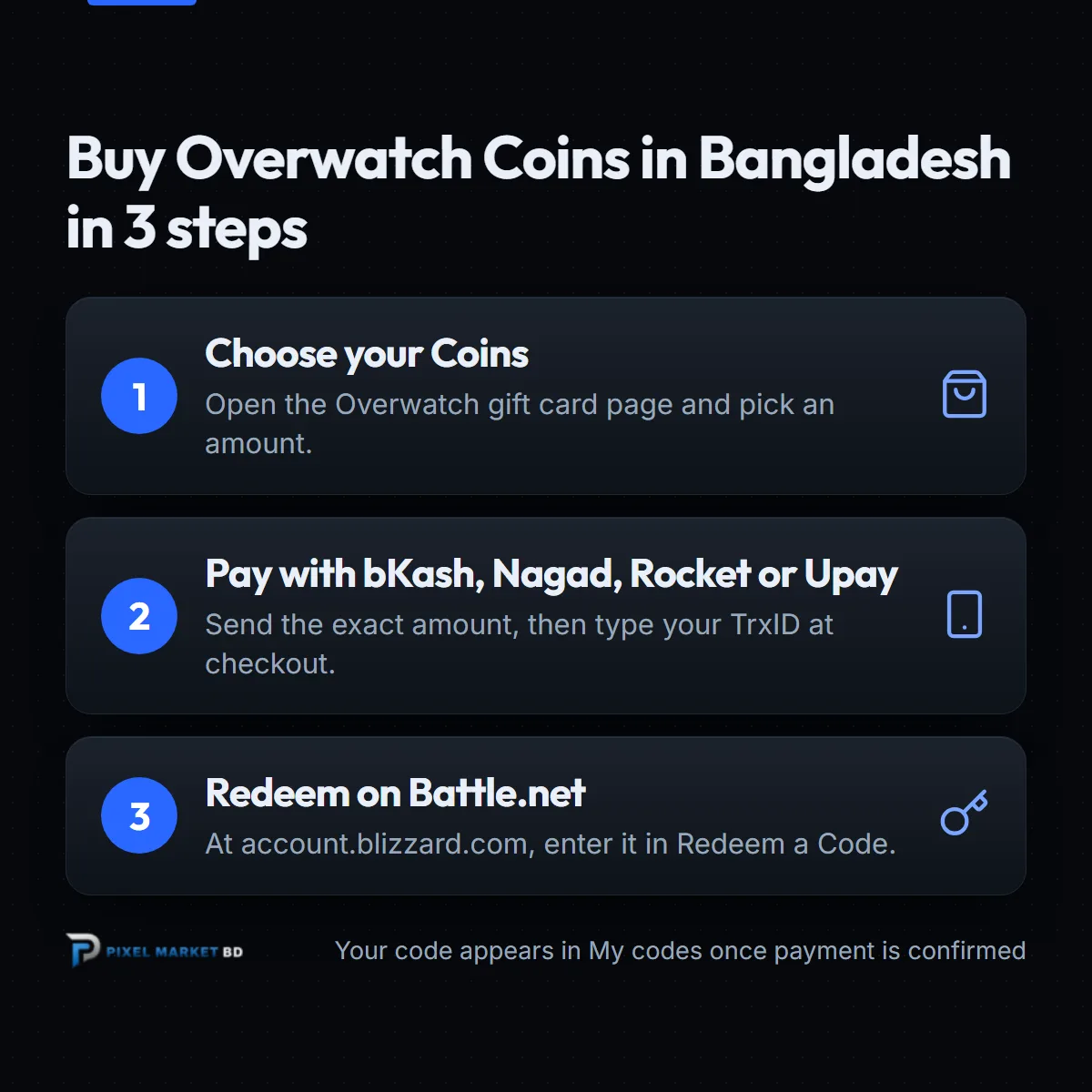
- Create a free account. You need one to buy, so your codes are saved safely. See how to create a Pixel Market BD account.
- Pick your Coins. Open the Overwatch gift card page and choose from 200 Coins to 1,000 Coins.
- Pay with bKash, Nagad, Rocket or Upay. Send the exact amount to the number shown at checkout, then type your TrxID. Our guide to placing an order shows every screen.
- Get your code. Once your payment is confirmed, the code appears under My codes, and we email it to you.
- Redeem it. Follow the steps in the next section.
 Overwatch 2 Gift Card GlobalFrom ৳350Buy now
How do you redeem an Overwatch Coins code?
Sign in to your Account Overview at account.blizzard.com, enter the code in the Redeem a Code box and click Redeem Code. The Coins are added to your Battle.net account. You can also redeem in the Battle.net desktop app or the mobile app, and it takes under a minute either way.
These steps come from Blizzard's redeem help page:
- Website: Account Overview, then the Redeem a Code box, then Redeem Code.
- Desktop app: click your profile icon at the top right, then Redeem Code.
- Mobile app: tap your BattleTag to open your profile, then choose Redeem Code.
Blizzard adds that a code can only be redeemed once. Once it's redeemed, it can't be sold, traded or gifted. So sign in to the account you actually play Overwatch on before you enter it.
What can you buy with Overwatch Coins?
Overwatch Coins are the game's shop currency. They buy the Premium Battle Pass, which Blizzard prices at 1,000 Coins, plus skins and other cosmetics in the in-game shop. The shop also sells heroes from past seasons, so you can unlock one straight away instead of earning it.
Blizzard's guide to the Battle Pass and shop explains how this works:
- Premium Battle Pass. It unlocks the premium reward track for the current season.
- The shop. Featured cosmetics change regularly, so you can buy exactly the skin you want.
- Past heroes. Heroes from earlier seasons can be unlocked with Coins.
Coins stay on the Battle.net account you redeem them on. Only buy what you'll use on that account.
Which amount should you buy?
Start with what you want to buy. The 1,000 Coins code covers the Premium Battle Pass on its own. For a skin or bundle, check its price in the in-game shop first, then pick a code that covers it. Codes add up, so two smaller codes work like one bigger one.
Today's prices:
| Coins | Price in Taka |
|---|---|
| 200 Coins | ৳350 |
| 500 Coins | ৳800 |
| 1,000 Coins | ৳1,300 |
Prices can change over time. The product page always shows today's price.
What if your Overwatch code doesn't work?
First, check that you're signed in to the right Battle.net account, and paste the code again from My codes so there are no typing mistakes. If you see a message that the code was already used, check your Coins balance in the game first. If it still fails, message us with your order number and a screenshot of the error.
Common problems, based on Blizzard's help page:
- Wrong account. A redeemed code can't be moved, so always check the BattleTag you're signed in with.
- Typing mistakes. Copy the code from My codes instead of typing it.
- Already redeemed. Each code works once. Check whether the Coins are already in your balance.
Keep your order page and email until the Coins show. They prove what you bought.
Why buy Overwatch Coins from Pixel Market BD?
Pixel Market BD sells official Global Overwatch codes that you pay for in Taka with bKash, Nagad, Rocket or Upay. Your code is saved in your account, you never share your Battle.net password, and a real person helps if something goes wrong.
- Local payment. bKash, Nagad, Rocket or Upay, in Taka.
- Codes saved in your account. Lost the email? Open My codes.
- No login needed. We never ask for your Battle.net password.
- Global codes. No region guessing for Bangladesh accounts.
Play other shooters too? See our Valorant Points guide and Steam Wallet guide, or browse all our gift cards.
The bottom line
Buying Overwatch Coins in Bangladesh is simple with a Global code. Remember three things:
- Overwatch 2 is now called Overwatch, and Coins work the same way.
- Pay with bKash, Nagad, Rocket or Upay, and copy the code from My codes.
- Redeem it at account.blizzard.com, signed in to the account you play on.
Ready? Pick your Coins on the Overwatch gift card page, and your code lands in your account as soon as your payment is confirmed.
Frequently asked questions
Does a Global Overwatch code work on a Bangladesh account?
Yes. Our Overwatch Coins codes are Global, so they redeem on Battle.net accounts from Bangladesh and other countries. Blizzard says some codes have regional restrictions, which is why a code made for one country can fail on another.
How do I redeem an Overwatch Coins code?
Sign in to your Account Overview at account.blizzard.com, enter the code in the Redeem a Code box and click Redeem Code. In the Battle.net desktop app, click your profile icon at the top right and choose Redeem Code.
How much are 1,000 Overwatch Coins in Bangladesh?
At Pixel Market BD a 1,000 Overwatch Coins code costs ৳1,300 today, paid with bKash, Nagad, Rocket or Upay. That covers the Premium Battle Pass, which Blizzard prices at 1,000 Coins.
Is Overwatch 2 now called Overwatch?
Yes. Blizzard dropped the 2 in February 2026, and the game started a new Season 1 on 10 February 2026. It's the same free game on the same Battle.net account, and Overwatch Coins codes are redeemed the same way.
Can I move Overwatch Coins to another account?
No. Blizzard says a code can only be redeemed once, and once redeemed it can't be sold, traded or gifted. Before you enter the code, check that you're signed in to the Battle.net account you actually play Overwatch on.