

How to Buy a PSN Gift Card in Bangladesh with bKash (2026)
You can buy a PSN gift card in Bangladesh without an international card. Pixel Market BD sells US PlayStation Store gift cards that you pay for with bKash, Nagad, Rocket or Upay. You redeem the 12-digit code on your PS5, PS4, phone or computer. One rule matters most: a US card only works on a PlayStation account whose country is the United States. Cards start at $1 PSN Card (৳180).
A PSN gift card (also called a PlayStation Store gift card or PSN card) adds money to your PlayStation wallet. You can then buy games, add-ons, in-game currency and PlayStation Plus without a credit card.
This guide covers everything for 2026:
- which PSN card works for players in Bangladesh, and how to check your account's country;
- how to buy one with bKash, Nagad, Rocket or Upay;
- how to redeem it on PS5, PS4, the PlayStation App or the web;
- what the wallet can buy, which amount to pick, and how to fix a code that won't work.
Every PlayStation rule here links to PlayStation's own support pages, so you can check it yourself.
Can you buy a PSN gift card with bKash in Bangladesh?
Yes. At Pixel Market BD you pay for a US PSN gift card with bKash, Nagad, Rocket or Upay in Taka. The code appears in your account as soon as your payment is confirmed. You don't need a credit card, and you redeem the code yourself on your own PlayStation account.
The PlayStation Store wants a card, and most young players in Bangladesh don't have an international one. A PSN card solves that. You pay a local shop in Taka, then add the money to your wallet with a code.
At checkout you send the exact amount by mobile banking and type your transaction ID (TrxID). Once we confirm it, the code shows under My codes in your account, and we email it to you too.
Which PSN gift card works in Bangladesh?
A US PSN card works on a PlayStation account whose country is the United States. Sony says a voucher code must be for the same region as your account. PlayStation doesn't list Bangladesh as one of its countries, so many players here use a US account and top it up with US cards.
You can see this on PlayStation's country selector: India is listed, Bangladesh is not. That is why "PSN India gift card" searches are common too. An Indian card only works on an account set to India, in the same way a US card only works on a US account.
So the card has to match your account. Our cards are US cards, for US accounts. The next section shows how to check yours.
How do you check your PlayStation account's country?
Sign in to Account Management on the PlayStation website, select Your Information, and edit your Residential Address. Your country or region is shown at the bottom. In the PlayStation App, go to Settings, then Account Information, then Residential Address. If it says United States, a US card will work.
These steps come from PlayStation's page on checking your account's country. The same page gives an important warning: you can't change your account's country after the account has been created.
That means you can't switch an existing account to the US to use a US card. Funds and games also can't be moved between accounts. If your account is set to another country, a US card won't redeem on it, so check before you buy. Not sure? Message us first.
How to buy a PSN gift card in Bangladesh, step by step
You can do all of it from your phone.
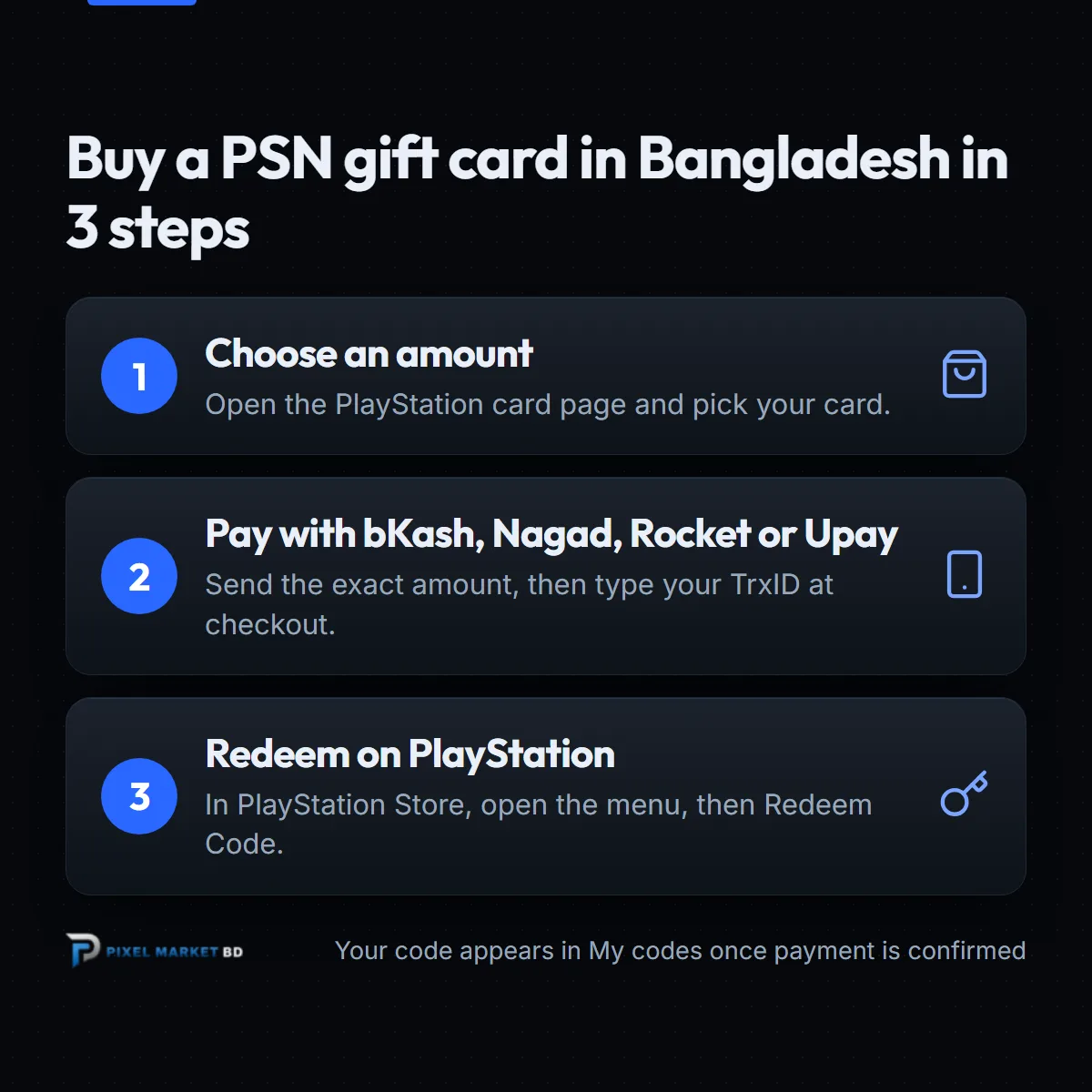
- Create a free account. You need one to buy, so your codes are saved safely. See how to create a Pixel Market BD account.
- Pick your amount. Open the PlayStation card page and choose a card, from $1 PSN Card to $100 PSN Card.
- Pay with bKash, Nagad, Rocket or Upay. Send the exact amount to the number shown at checkout, then type your TrxID. Our guide to placing an order shows every screen.
- Get your code. Once your payment is confirmed, the code appears under My codes, and we email it to you.
- Redeem it. Follow the steps in the next section.
 PlayStation Gift Card BDFrom ৳180Buy now
How do you redeem a PSN code on PS5, PS4 or your phone?
On a PS5, open PlayStation Store, press the triangle button to open the menu, and select ... (More), then Redeem Code. Type the 12-digit code carefully and confirm. The money goes straight into your PlayStation wallet, ready to spend.
Here are the steps for each device, from PlayStation's redeem guide:
- PS5: PlayStation Store, press triangle, ... (More), Redeem Code.
- PS4: PlayStation Store, scroll to the bottom of the sidebar, Redeem Codes.
- PlayStation App: tap the PS Store icon, then the menu icon on the right, then Redeem Code.
- Web browser: open PlayStation Store, select your profile at the top, then Redeem Code.
Check that you're signed in to the right account first. A code can only be used once, and funds can't be moved to another account afterwards.
What can you buy with a PSN gift card?
PSN wallet funds buy PS5 and PS4 games, pre-orders, add-ons and in-game currency in the PlayStation Store. They can also pay for a PlayStation Plus membership. Everything is priced in US dollars on a US account, so check the price of a game before you choose a card.
Popular uses in Bangladesh:
- new games and pre-orders, especially during PlayStation Store sales;
- in-game currency for games like EA Sports FC, Call of Duty and Fortnite;
- a PlayStation Plus membership for online play and the monthly games.
If you'd rather buy PlayStation Plus directly, see our PlayStation Plus page.
Which amount should you buy?
Check the price of what you want in the PlayStation Store first, then pick a card that covers it. Your wallet adds up, so two smaller cards work like one bigger one. The $10 card costs {price:playstation-network-card:10}, which is {rate:playstation-network-card:10} per US dollar.
Today's prices for every amount:
| Card | Price in Taka |
|---|---|
| $1 PSN Card | ৳180 |
| $2 PSN Card | ৳300 |
| $3 PSN Card | ৳450 |
| $4 PSN Card | ৳600 |
| $5 PSN Card | ৳749 |
| $10 PSN Card | ৳1,390 |
| $15 PSN Card | ৳2,100 |
| $20 PSN Card | ৳2,800 |
| $25 PSN Card | ৳3,290 |
| $35 PSN Card | ৳4,850 |
| $50 PSN Card | ৳6,650 |
| $75 PSN Card | ৳10,250 |
| $100 PSN Card | ৳12,990 |
Prices follow the US dollar rate, so they can change a little over time. The product page always shows today's price.
What if your PSN code doesn't work?
First, check that your PlayStation account's country is the United States, because a region mismatch is the most common cause. Then check that you're signed in to the right account, and copy the code again from My codes. If it still fails, message us with your order number and a screenshot of the error.
PlayStation's page on voucher code problems lists these fixes:
- The code was already used. Check your transaction history: a redeemed code shows in the transaction details.
- Wrong account. Make sure you redeemed on the account you meant to use.
- In-game currency doesn't show. Restart the game, or check your Library for the content.
Keep your order page and email until the money shows in your wallet. They prove what you bought.
Why buy PSN gift cards from Pixel Market BD?
Pixel Market BD sells official US PlayStation Store codes that you pay for in Taka with bKash, Nagad, Rocket or Upay. Your code is saved in your account, you never share your PlayStation password, and a real person helps if something goes wrong.
- Local payment. bKash, Nagad, Rocket or Upay, in Taka.
- Codes saved in your account. Lost the email? Open My codes.
- No login needed. You redeem the code yourself. We never ask for your PlayStation password.
- Small amounts too. Top up exactly what a game or add-on costs.
Play on Xbox or PC as well? See our Xbox gift card guide, or browse all our gift cards.
The bottom line
Buying a PSN gift card in Bangladesh is easy once you know which account it's for. Remember three things:
- A US PSN card needs a PlayStation account whose country is the United States, and that country can't be changed later.
- Pay with bKash, Nagad, Rocket or Upay, and copy the code from My codes.
- Redeem it in PlayStation Store with Redeem Code.
Ready? Pick your amount on the PlayStation gift card page, and your code lands in your account as soon as your payment is confirmed.
Frequently asked questions
Can I use a US PSN card on an Indian or Bangladesh account?
No. Sony says a voucher code must be for the same region as your account, so a US card needs a PlayStation account set to the United States. PlayStation doesn't list Bangladesh as a country, and an account set to India needs Indian cards.
Can I change my PlayStation account's country?
No. PlayStation says you can't change an account's country or region after the account has been created. Funds and games also can't be moved to another account, so check your account's country before you buy a card.
How much is a $10 PSN card in Bangladesh?
At Pixel Market BD a $10 PSN card costs {price:playstation-network-card:10} today, paid with bKash, Nagad, Rocket or Upay. Prices follow the US dollar rate, so check the product page for the latest price of every amount.
Can I buy PlayStation Plus with a PSN gift card?
Yes. Wallet funds on a US PlayStation account can pay for a PlayStation Plus membership in the PlayStation Store. If you'd rather buy the membership directly, Pixel Market BD also has a PlayStation Plus page.
Where do I enter a PSN code on PS5?
Open PlayStation Store on your PS5, press the triangle button to open the menu, then select More and Redeem Code. Type the 12-digit code carefully and confirm, and the money goes into your wallet.