-5%Instant
Get instant delivery. Pay with bKash, Nagad, Rocket, Upay.
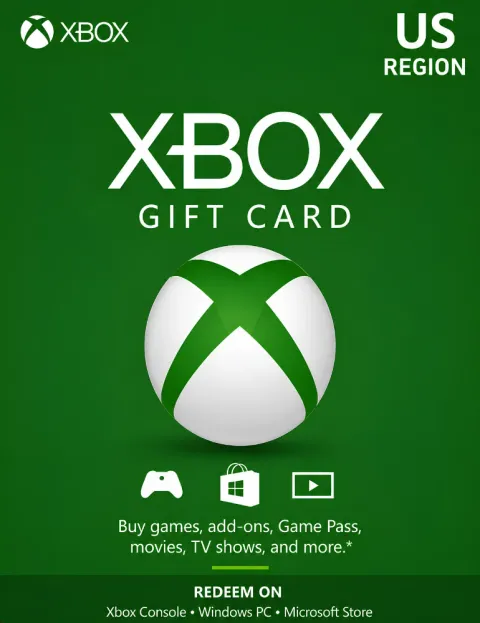
Gift Card · Microsoft
Redeem for games, add-ons and Xbox Game Pass on the Microsoft Store.
Total
—
Buy an Xbox gift card in Bangladesh with bKash, Nagad, Rocket or Upay: a US Xbox code that adds balance to your own Microsoft account. You pay in Taka, the code appears in your account as soon as your payment is confirmed, and you redeem it yourself at xbox.com/redeem. No credit card is needed.
This is a US Xbox card, so it works on a Microsoft account whose country or region is the United States. Microsoft says a card in one currency can't be redeemed on an account that uses another, and you'll see an Incorrect region error. Check yours on the Your info page of your Microsoft account. Our Xbox gift card guide shows the steps.
Go to xbox.com/redeem in any browser, sign in to your Microsoft account and enter the code. You can also redeem from the Store on your Xbox or in the Xbox app. Always check you're on the right account first: Xbox Support can't move a redeemed code.
The balance works on Xbox, on Windows and in the Microsoft Store online, and it adds up across cards. Game Pass isn't sold officially in Bangladesh, so we also offer Xbox Game Pass Ultimate directly.
The price of every amount is shown in Taka above, before you pay, and it follows the US dollar rate. For a price table, see the Xbox gift card guide.
First time here? See how to create an account and how to place an order.
Also on PlayStation or Steam? See our PSN gift card and Steam Wallet code, or browse all gift cards.
Delivery time: Instant
You can also redeem from the Store on your Xbox or in the Xbox app.
Code not working? An "Incorrect region" error means your account's country isn't the United States. Other fixes are in our Xbox gift card guide.
No reviews yet. Reviews from verified buyers will appear here.
Yes. Pixel Market BD sells US Xbox codes that you pay for with bKash, Nagad, Rocket or Upay in Taka. The code appears in your account once your payment is confirmed, and you redeem it yourself at xbox.com/redeem.
Only if your Microsoft account's country is the United States. Microsoft says a card in one currency can't be redeemed on an account that uses another. Check the Your info page of your Microsoft account before you buy.
On a US Microsoft account, the balance can pay for subscriptions such as Game Pass. Game Pass isn't sold officially in Bangladesh, so if you'd rather skip the setup, see our Xbox Game Pass Ultimate page.
Yes. The balance goes into your Microsoft account, and Microsoft says you can spend it in the Microsoft Store online, on Windows or on Xbox. That includes PC games, add-ons and apps.
Go to xbox.com/redeem, sign in to your Microsoft account and enter the code. Check you're on the right account first, because Xbox Support can't move a redeemed code. You can also redeem from the Store on your Xbox.