

How to Buy Minecoins in Bangladesh with bKash (2026)
You can buy Minecraft Minecoins in Bangladesh with bKash, Nagad, Rocket or Upay at Pixel Market BD. Our codes are Global, so they redeem on Microsoft accounts from Bangladesh and other countries. You redeem the code at minecraft.net/redeem, then spend the Minecoins in the Minecraft Marketplace on skins, texture packs and worlds. Packs start at 330 Minecoins (৳720).
Minecoins are Minecraft's own currency for extra content. They belong to your Microsoft account, and they only work in Minecraft: Bedrock Edition and Minecraft Legends.
This guide covers everything for 2026:
- what Minecoins are, and how to check you have the right version of Minecraft;
- how to buy them with bKash, Nagad, Rocket or Upay;
- how to redeem your code and find your balance;
- which pack to pick, and how to fix a code that won't work.
Every Minecraft rule here links to Minecraft's own help pages, so you can check it yourself.
Can you buy Minecoins with bKash in Bangladesh?
Yes. At Pixel Market BD you pay for a Global Minecoins code with bKash, Nagad, Rocket or Upay in Taka. The code appears in your account as soon as your payment is confirmed. You don't need a credit card, and you redeem the code yourself on your own Microsoft account.
At checkout you send the exact amount by mobile banking and type your transaction ID (TrxID). Once we confirm it, the code shows under My codes in your account, and we email it to you too.
Buying for a child? The Minecoins go to whichever Microsoft account redeems the code, so sign in with their account when you redeem it.
Which version of Minecraft uses Minecoins?
Minecoins work in Minecraft: Bedrock Edition and Minecraft Legends. Minecraft's help page on buying Minecoins says they buy Marketplace content in those two games. Java Edition on PC has no Marketplace, so Minecoins do nothing there. Check your version before you buy.
How to tell which one you play:
- Phone, tablet, Xbox, PlayStation or Switch: you have Bedrock Edition, so Minecoins will work.
- Windows PC: open the Minecraft Launcher. Minecraft for Windows is Bedrock Edition, and Minecraft: Java Edition is the one without Minecoins.
If you play both on PC, only Bedrock can use the Minecoins.
Does a Global Minecoins code work in Bangladesh?
Yes. Our Minecoins codes are Global, so they redeem on Microsoft accounts from Bangladesh and other countries. You don't need to change your account's country. The Minecoins then stay with the Microsoft account you redeemed them on, so sign in to Minecraft with that same account.
Minecraft's help page says your Minecoins carry over between Bedrock and Legends when you sign in with the Microsoft account you used to get them.
Not sure which account you use in Minecraft? Message us before you pay, and we'll help you check.
How to buy Minecoins in Bangladesh, step by step
You can do all of it from your phone.
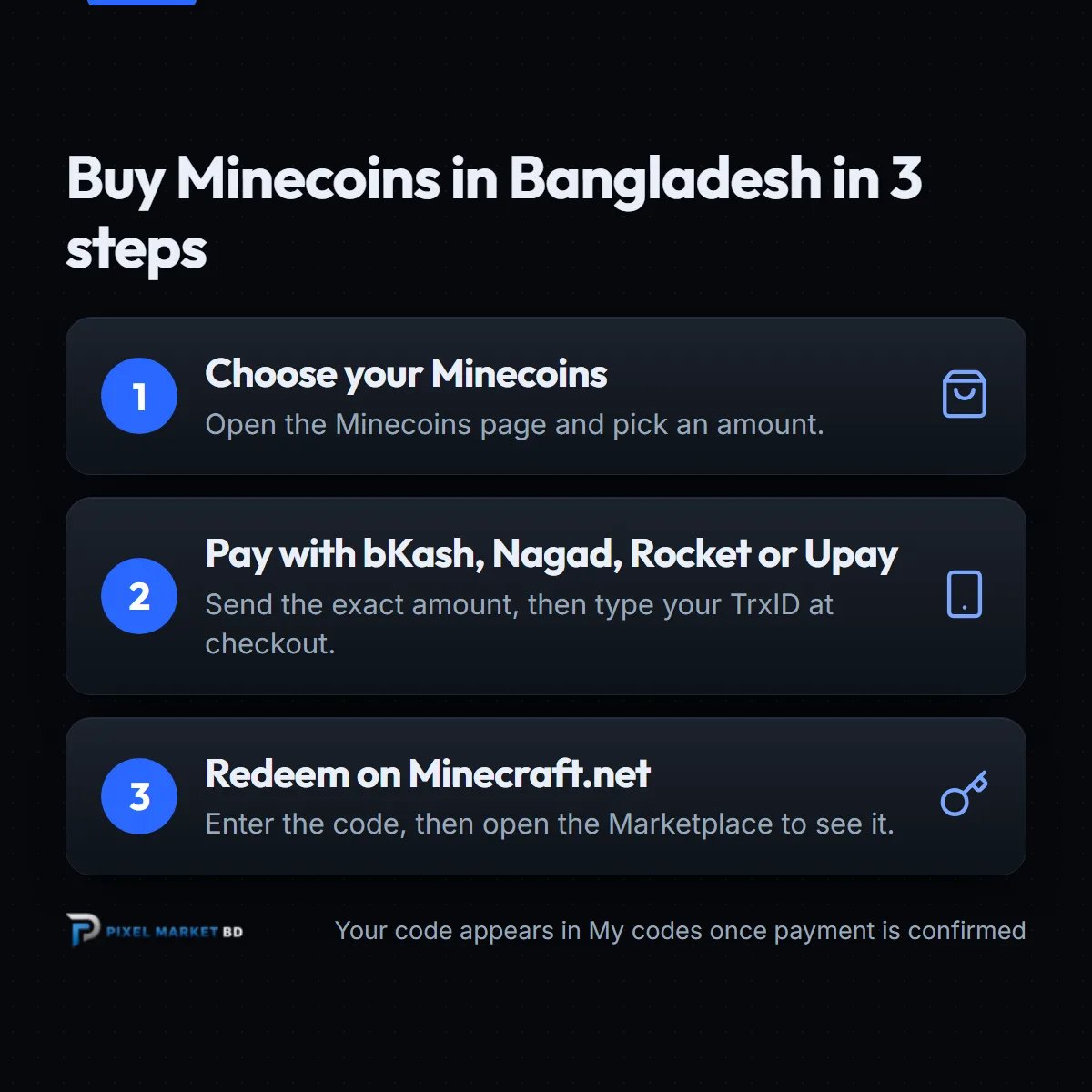
- Create a free account. You need one to buy, so your codes are saved safely. See how to create a Pixel Market BD account.
- Pick your pack. Open the Minecoins page and choose from 330 Minecoins to 3,500 Minecoins.
- Pay with bKash, Nagad, Rocket or Upay. Send the exact amount to the number shown at checkout, then type your TrxID. Our guide to placing an order shows every screen.
- Get your code. Once your payment is confirmed, the code appears under My codes, and we email it to you.
- Redeem it. Follow the steps in the next section.
 Minecraft Minecoins BD (Global)From ৳720Buy now
How do you redeem a Minecoins code?
Go to minecraft.net/redeem, or the redeem page of your Microsoft account at account.microsoft.com/billing/redeem. Sign in, enter the code and follow the steps on screen. Then open Minecraft, go to the Marketplace and check that your Minecoin balance went up.
These steps come from Minecraft's help page. A few tips make it easier:
- Use the right account. Sign in with the Microsoft account you use in Minecraft, because the Minecoins go wherever you redeem them.
- Paste the code. Copy it from My codes so there are no typing mistakes.
- Look in the Marketplace. Your Minecoin balance shows at the top of the Marketplace screen in Minecraft.
Redeeming more than one code? Read the tip about the "you already own this product" message further down.
What can you buy with Minecoins?
Minecoins buy content in the Minecraft Marketplace, made by Minecraft and by approved creators. That includes skins and skin packs, texture packs, mash-up packs, and worlds and adventure maps. Each item shows its price in Minecoins before you buy it.
What people usually buy:
- Skins and skin packs to change how your character looks.
- Texture packs that change how blocks and items look.
- Worlds and adventure maps with their own builds and challenges.
- Mash-up packs that combine a world, skins and textures in one theme.
Content you buy belongs to your Microsoft account, so it's there when you sign in again.
Which Minecoins pack should you buy?
Open the Marketplace first and check the Minecoin price of what you want, then pick a pack that covers it. The Minecoins add up, so you can redeem more than one code. Per Minecoin, the 330 Minecoins pack costs ৳2.18 and the 3,500 Minecoins pack costs ৳0.56.
Today's prices:
| Pack | Price in Taka |
|---|---|
| 330 Minecoins | ৳720 |
| 1,720 Minecoins | ৳1,200 |
| 3,500 Minecoins | ৳1,950 |
Prices can change over time. The product page always shows today's price.
What if your Minecoins code doesn't work?
First, check that you're signed in to the Microsoft account you use in Minecraft, and paste the code again from My codes. Then open the Marketplace, because that's where the balance shows. If it still fails, message us with your order number and a screenshot of the error.
Common problems, based on Minecraft's help pages:
- "You already own this product." Minecraft's page on the redemption limit error says this can happen when you redeem two codes of the same value in a row. Open the Marketplace to check your balance, then redeem the second code.
- No Minecoins in Java Edition. Java has no Marketplace. Open Bedrock Edition instead.
- Balance on the wrong account. The Minecoins went to the account you redeemed on. Sign in to Minecraft with that account.
Keep your order page and email until the Minecoins show. They prove what you bought.
Why buy Minecoins from Pixel Market BD?
Pixel Market BD sells official Global Minecoins codes that you pay for in Taka with bKash, Nagad, Rocket or Upay. Your code is saved in your account, you never share your Microsoft password, and a real person helps if something goes wrong.
- Local payment. bKash, Nagad, Rocket or Upay, in Taka.
- Codes saved in your account. Lost the email? Open My codes.
- No login needed. We never ask for your Microsoft account password.
- Global codes. No region guessing for Bangladesh accounts.
Play Roblox or Xbox too? See how to buy Robux in Bangladesh and our Xbox gift card guide, or browse all our gift cards.
The bottom line
Minecoins are easy to buy once you know you play the right version. Remember three things:
- Minecoins work in Bedrock Edition and Legends, not Java Edition.
- Pay with bKash, Nagad, Rocket or Upay, and copy the code from My codes.
- Redeem it at minecraft.net/redeem, then check your balance in the Marketplace.
Ready? Pick your pack on the Minecoins page, and your code lands in your account as soon as your payment is confirmed.
Frequently asked questions
Do Minecoins work in Minecraft Java Edition?
No. Minecraft's help page says Minecoins buy Marketplace content in Bedrock Edition or Minecraft Legends. Java Edition on PC has no Marketplace. If you play on a phone, console or Minecraft for Windows, you have Bedrock Edition.
How do I redeem a Minecoins code?
Go to minecraft.net/redeem or account.microsoft.com/billing/redeem, sign in with the Microsoft account you use in Minecraft and enter the code. Then open the Marketplace in Minecraft to see your new Minecoin balance.
How much are 1,720 Minecoins in Bangladesh?
At Pixel Market BD a 1,720 Minecoins code costs ৳1,200 today, paid with bKash, Nagad, Rocket or Upay. Prices can change, so check the product page for the latest price of every pack.
Why does it say I already own this product?
Minecraft's help page says this can happen when you redeem two codes of the same value in a row. Redeem the first code, open the Marketplace in Minecraft to check your balance, then go back and redeem the second one.
Does a Minecoins code work on a Bangladesh Microsoft account?
Yes. Our Minecoins codes are Global, so they redeem on Microsoft accounts from Bangladesh and other countries. The Minecoins stay with the account you redeem them on, so sign in to Minecraft with that same account.