-5%Instant
Get instant delivery. Pay with bKash, Nagad, Rocket, Upay.
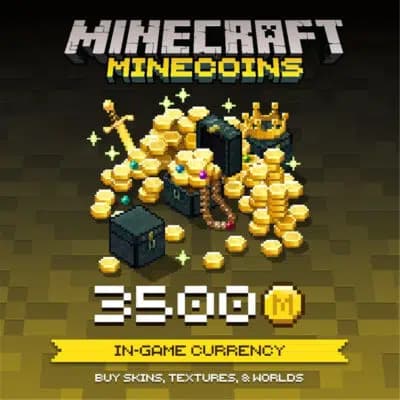
Gift Card · Mojang / Microsoft
Redeemable globally for skins, texture packs and worlds.
Total
—
Buy Minecraft Minecoins in Bangladesh with bKash, Nagad, Rocket or Upay: a Global code that adds Minecoins to your own Microsoft account. You pay in Taka, the code appears in your account as soon as your payment is confirmed, and you redeem it yourself at minecraft.net/redeem. No credit card is needed.
Minecoins are for Minecraft: Bedrock Edition, the version on phones, tablets, Windows, Xbox, PlayStation and Switch. Minecraft's help page says they buy Marketplace content in Bedrock Edition or Minecraft Legends. Java Edition on PC has no Marketplace, so check your version first. Our Minecoins guide shows how.
Yes. This is a Global Minecoins code, and it redeems on Microsoft accounts from Bangladesh and other countries. The Minecoins stay with the Microsoft account you redeem them on, so sign in to Minecraft with that same account to spend them.
Go to minecraft.net/redeem or the redeem page of your Microsoft account, sign in and enter the code. Then open Minecraft, visit the Marketplace and check your Minecoin balance. Redeeming two codes of the same value? Open the Marketplace between them, or you may see "you already own this product".
Want Robux too? See our Roblox gift card. Play Minecraft on Xbox? See the Xbox gift card.
Every pack shows its price in Taka above, before you pay. Choose 330, 1,720 or 3,500 Minecoins, and the Minecoins add up if you redeem more than one code. The Minecoins guide has a price table.
First time here? See how to create an account and how to place an order.
Looking for more game codes? Browse all our gift cards.
Delivery time: Instant
Redeeming two codes of the same value? Visit the Marketplace between them, or you may see "you already own this product". Other fixes are in our Minecoins guide.
No reviews yet. Reviews from verified buyers will appear here.
Yes. Pixel Market BD sells Global Minecoins codes that you pay for with bKash, Nagad, Rocket or Upay in Taka. The code appears in your account once your payment is confirmed, and you redeem it yourself at minecraft.net/redeem.
No. Minecraft's help page says Minecoins buy Marketplace content in Bedrock Edition or Minecraft Legends. Java Edition on PC has no Marketplace, so check which version you play before you buy.
Go to minecraft.net/redeem or the redeem page of your Microsoft account, sign in and enter the code. Then open Minecraft, visit the Marketplace and check that your Minecoin balance went up.
Minecraft's help page says this can happen when you redeem two codes of the same value in a row. Redeem the first code, open the Marketplace in Minecraft to check your balance, then go back and redeem the second one.
Yes. The Minecoins go to whichever Microsoft account redeems the code. Sign in with your child's Microsoft account on the redeem page, then have them sign in to Minecraft with that same account to use the Minecoins.